This article covers the following platforms
 MSFS 2024
 MSFS 2020
 ATS
ATS FSX
FSX Prepar3D
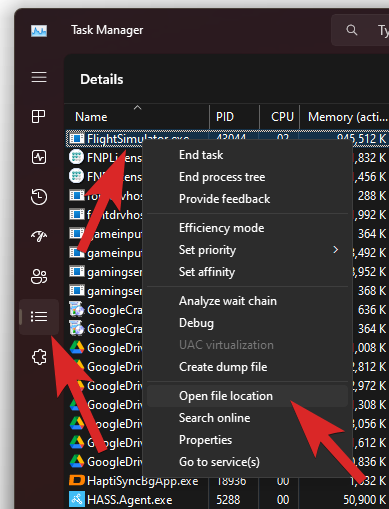
Find FlightSimulator.exe through Task Manager.
- Open Task Manager.
- Go to the Details section.
- Find or search for FlightSimulator.exe.
- Right-click it to open the contextual menu.
- Click Open file location.
If nothing happens when you click Open file location, you have a legacy (encrypted) install of MSFS and the exe file is not accessible.