This article covers the following platforms
 MSFS 2024
 MSFS 2020
 ATS
ATS FSX
FSX Prepar3D
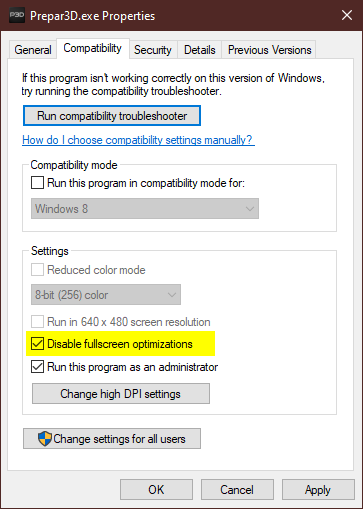
If black frames show at random or when you interact with ChasePlane, disable fullscreen optimizations on your simulator’s executable.
- Shut down the simulator.
- Find the executable for the simulator you are using.
- Right-click it, then choose Properties > Compatibility.
- Check Disable fullscreen optimizations.
- Click OK.
- Launch the simulator.