

This article covers the following platforms
 MSFS 2024
 MSFS 2020
 ATS
ATS FSX
FSX Prepar3D
This scenery uses the Flow “Virtual Key Fob” to open and close doors and turn lighting on and off. All doors start OPEN.
Signs posted next to interactive elements always show the channel to use for that interaction.
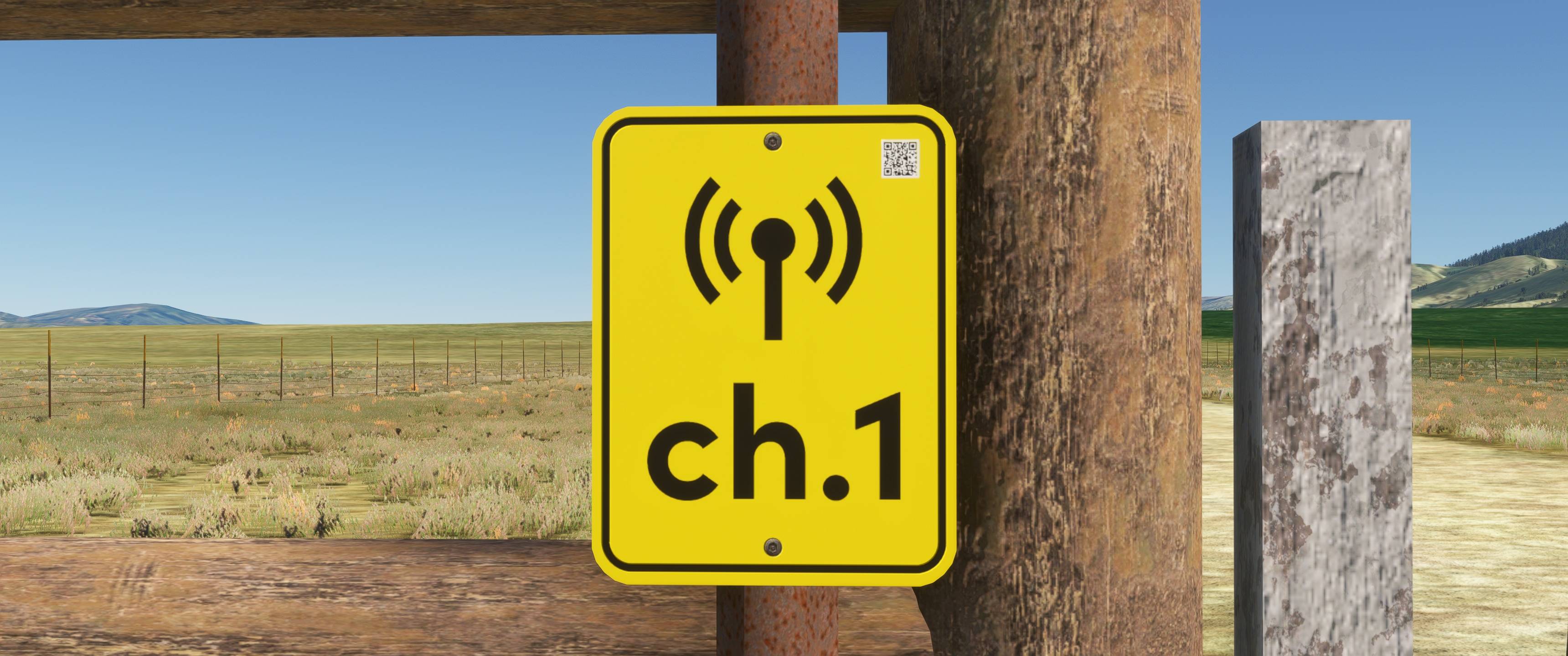
This scene uses the following channels:
- ch. 1: Main hangar door
- ch. 2: Hangar garage door
- ch. 3: Hangar lighting
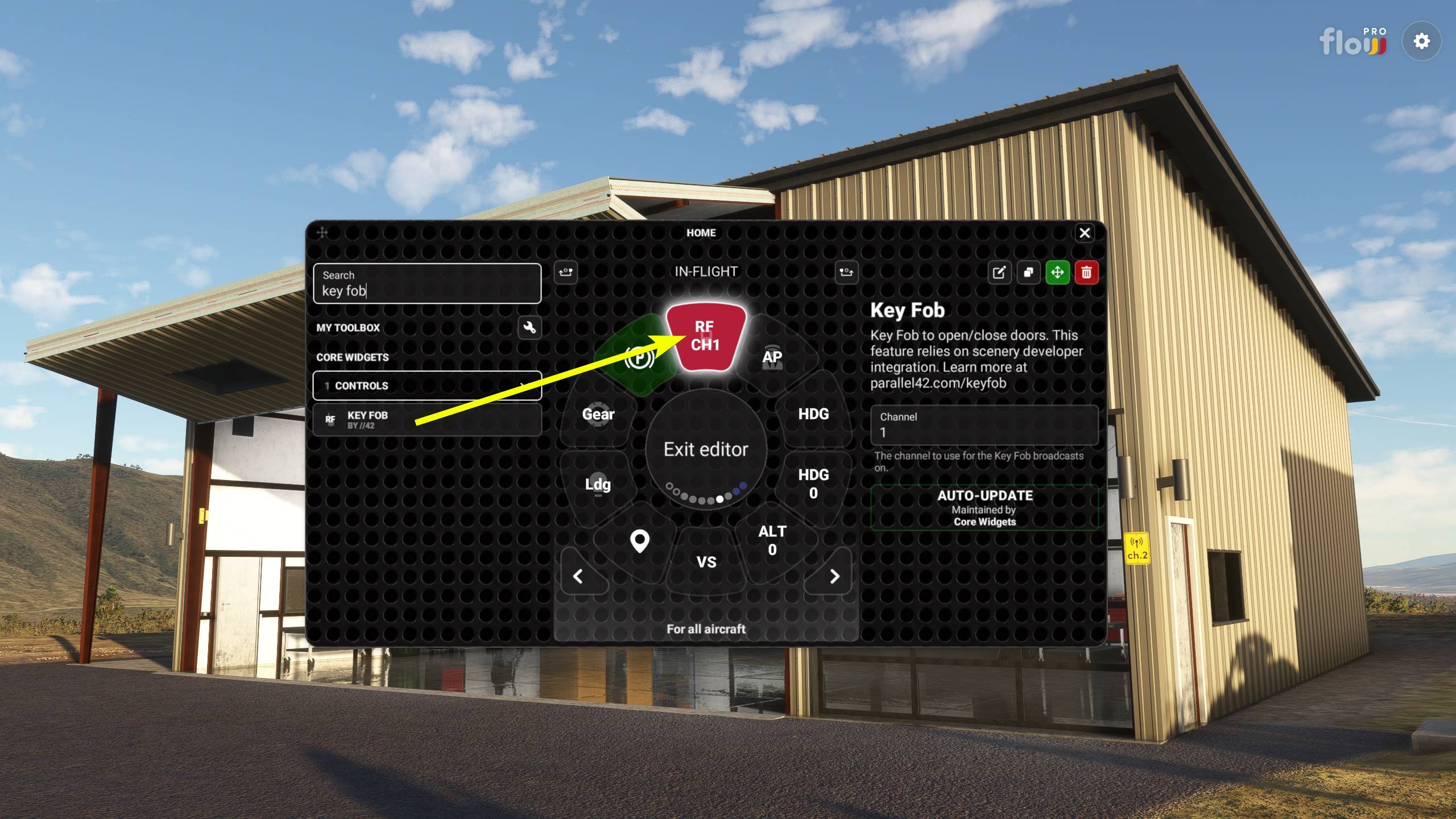
Add the Key Fob widget to Flow
- Enter editor mode in Flow.
- Search for the “Key Fob” widget.
- Add the “Key Fob” widget to an available tile on a wheel of your choice.
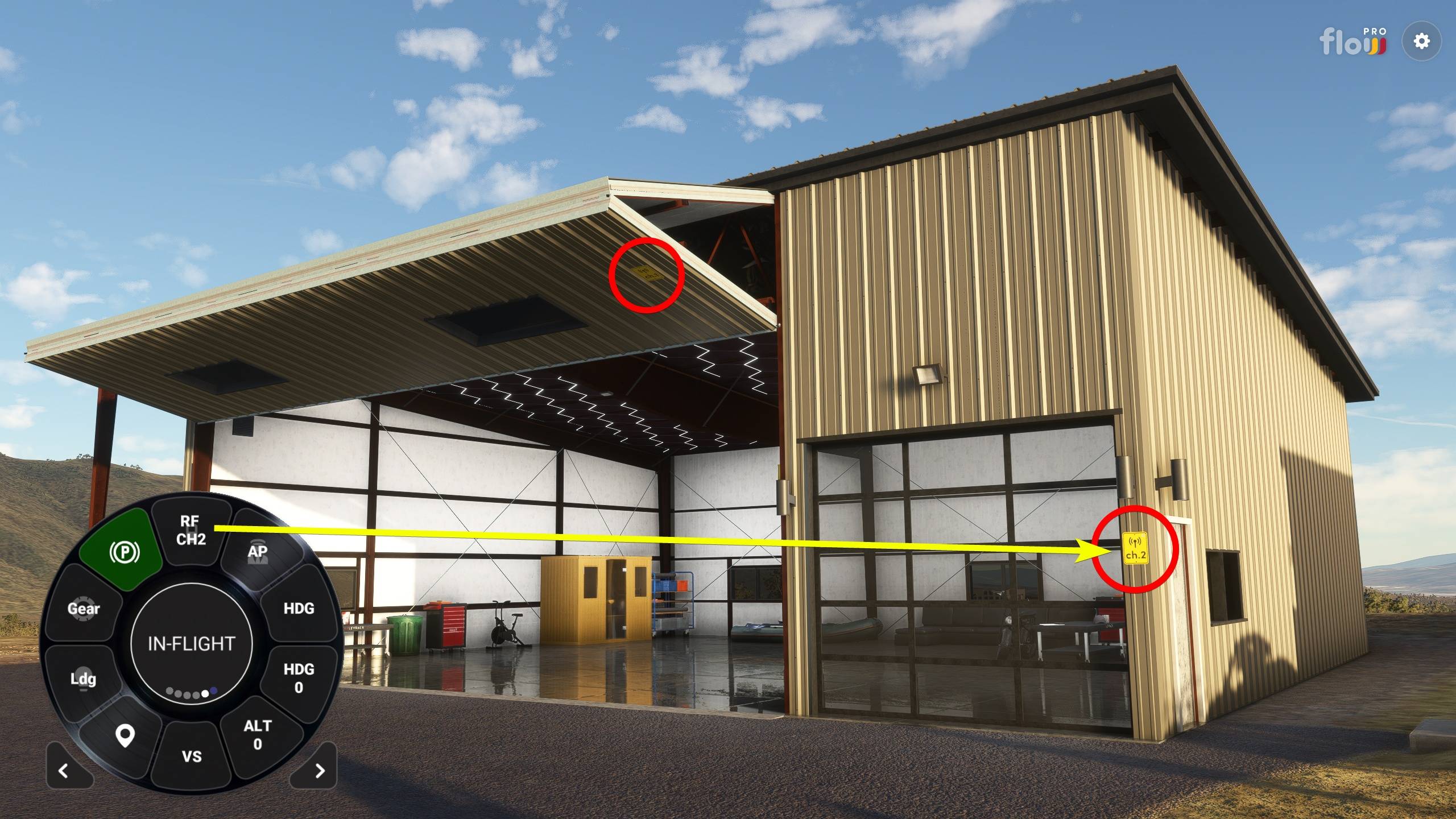
Operate the Key Fob
- Find the channel on the sign near the object.
- Scroll up or down in the widget to select the channel.
- Click the widget in the Flow wheel.
Transmission range is roughly 150 yards.
Developers who want to integrate the Key Fob can find the source code on our GitHub.